Your phone is acting weird. Apps are crashing, you're seeing pop-ups you never saw before, your battery is draining in hours, or your data usage has mysteriously spiked. You're wondering — do I have a virus?
The short answer: true viruses on smartphones are rare, but malware, adware and spyware are real, especially on Android.
Do Phones Actually Get Viruses?
Technically, a "virus" replicates itself from device to device — and true viruses on smartphones are uncommon because of how phone operating systems are sandboxed. But malware — software designed to damage, spy on, or profit from your device — affects both iPhones and Android phones.
The term "phone virus" is used loosely to describe several types of threats: adware (bombards you with ads), spyware (monitors your activity), ransomware (locks your device), and fake apps that steal credentials or personal data.
Signs Your Phone May Be Infected
01
Unexpected pop-up ads
Pop-ups appearing outside of any browser or app — especially ones promoting dubious "security alerts" or prize winnings — are a classic sign of adware. Legitimate apps don't generate pop-ups at the system level.
02
Apps you didn't install
Scroll through your installed apps. If you see apps you don't recognize and definitely didn't download, something may have installed them without your knowledge. This is more common on Android where side-loading is possible.
03
Rapid battery drain
Malware often runs in the background continuously — mining cryptocurrency, sending data, or displaying hidden ads. This hammers your battery. If your battery went from lasting all day to dying by noon with no other explanation, it's worth investigating.
04
Data usage spike
Check Settings → Mobile Data (iPhone) or Settings → Network → Data Usage (Android) and look for apps using unusual amounts of data. Spyware and adware frequently send data to remote servers in the background.
05
Phone running hot for no reason
A phone that's warm even when you're not using it — sitting on a table, screen off — suggests something is running intensively in the background. Malware processes can push your processor hard without you ever touching the screen.
06
Unexplained charges or texts
Some malware signs you up for premium SMS services or makes calls/texts without your knowledge. Check your phone bill carefully. Unexpected charges to a carrier account are a serious red flag.
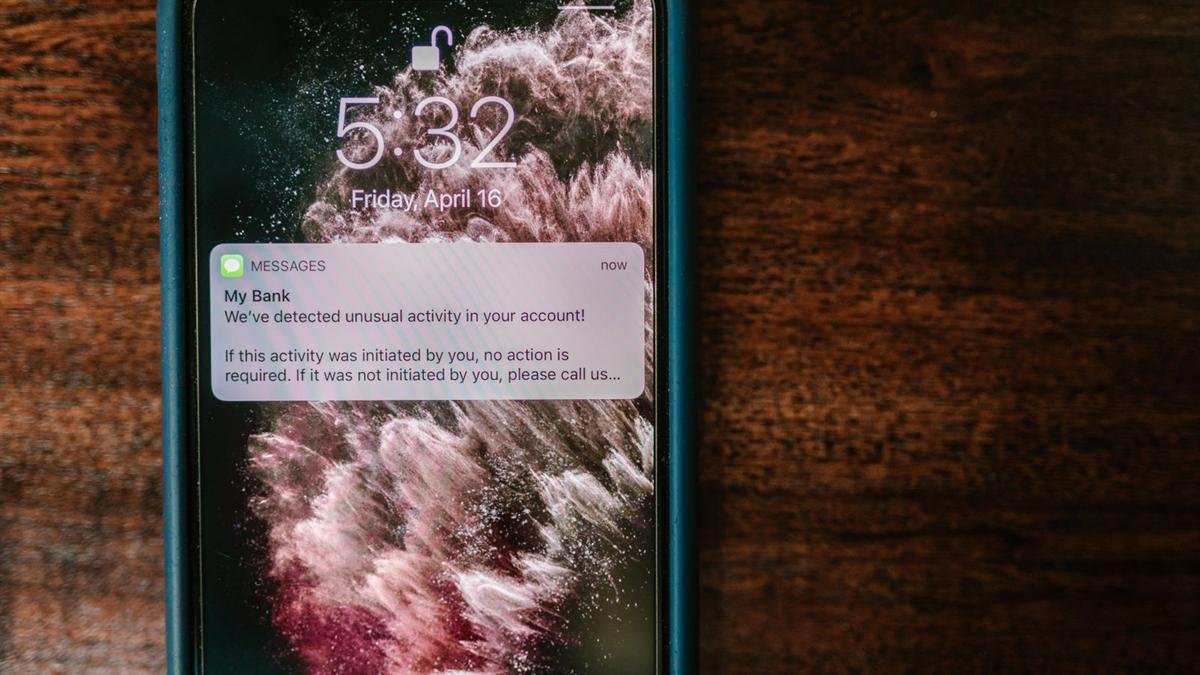
Unexpected "bank alert" messages are a common scam. Check with your bank directly before you act on one. Photo: RDNE Stock project / Pexels
iPhone vs Android — Who's More at Risk?
Android is more vulnerable to malware than iPhone. Android allows you to install apps from outside the Play Store (called "side-loading"), which is the primary way most Android malware gets installed. The Play Store itself has had malware slip through its review process multiple times.
iPhones are harder to infect because Apple's App Store is tightly controlled and iOS doesn't allow apps to run in the background the same way Android does. That said, iPhones are not immune — phishing attacks, malicious Safari extensions, and profile-based exploits are all real threats.
Jailbroken phones are at much higher risk. Jailbreaking removes Apple's security protections entirely. If your iPhone is jailbroken, the standard security rules don't apply and malware installation becomes much more realistic.
Most phone attacks work by tricking you into installing something or sharing your details. Photo: Mikhail Nilov / Pexels
How to Remove Malware — Step by Step
On Android
Uninstall suspicious apps — go to Settings → Apps and remove anything you don't recognize or didn't intentionally install. Start here.
Run a reputable security scan — Malwarebytes for Android is free and works well. Avoid random "antivirus" apps from unknown developers — many are themselves malware.
Check device admin apps — Settings → Security → Device Admin Apps. Malware sometimes grants itself admin privileges to resist removal. Revoke any you don't recognize, then uninstall.
Check accessibility services — Settings → Accessibility → Downloaded Apps. Malware exploits accessibility permissions to read your screen and steal credentials. Remove anything suspicious.
Factory reset if needed — if the problem persists, a factory reset is the nuclear option. It wipes everything. Back up your photos and contacts first.
On iPhone
Delete suspicious apps — if you've installed anything recently that coincides with the problem, delete it immediately.
Check Safari extensions — Settings → Safari → Extensions. Remove any you don't recognize.
Check installed profiles — Settings → General → VPN & Device Management. Any profile you didn't intentionally install should be removed immediately.
Clear Safari history and data — Settings → Safari → Clear History and Website Data. This removes malicious scripts that may be running in browser tabs.
Update iOS — Apple patches security vulnerabilities regularly. If you're not on the latest iOS version, update now.
Restore from backup or factory reset — if nothing works, restore your iPhone through iTunes/Finder or do a factory reset.
After removing malware: change all your passwords — especially email, banking, and social media — from a different device. Assume any credentials entered on the infected phone may have been compromised.
How to Avoid Getting Infected Again
Only install apps from the official App Store or Play Store — avoid side-loading from unknown sources on Android
Don't tap links in unsolicited texts or emails — phishing is the #1 way malware gets delivered
Don't grant accessibility permissions to apps that don't need them
Keep your OS updated — security patches matter
Be suspicious of apps asking for excessive permissions — a flashlight app doesn't need access to your contacts
Use a reputable security app on Android — Malwarebytes or Bitdefender
Most "your phone has a virus" pop-ups are themselves scams. A webpage telling you your iPhone has a virus and to call a number or download an app is fake — close the tab immediately. Your phone does not display real virus warnings through web browsers.
Phone Acting Strange? Bring It In.
If you're not sure whether your phone is infected — or you can't remove it yourself — bring it in to 876 Danforth Ave. We'll check it for free and tell you what's going on.
True viruses on phones are rare, but malware, adware and phishing are common. If your phone is acting strange, don't panic. Go through the steps above in order. Most cases are fixed by uninstalling a suspicious app and running a scan. If it's more stubborn than that, we're at 876 Danforth Ave, open Monday to Friday 12–7pm and Saturday 12–5pm.